The shift calendar made for Taiwan

Knows Taiwan’s
labor law

Holidays, leave and overtime, worked out

  • Public & make-up holidays
  • Typhoon days in one tap
  • Annual leave by seniority
  • Hourly leave
  • Tiered overtime pay
  • Groups made easy
Download OmyShift on the App Store Free on iOS 17 or later
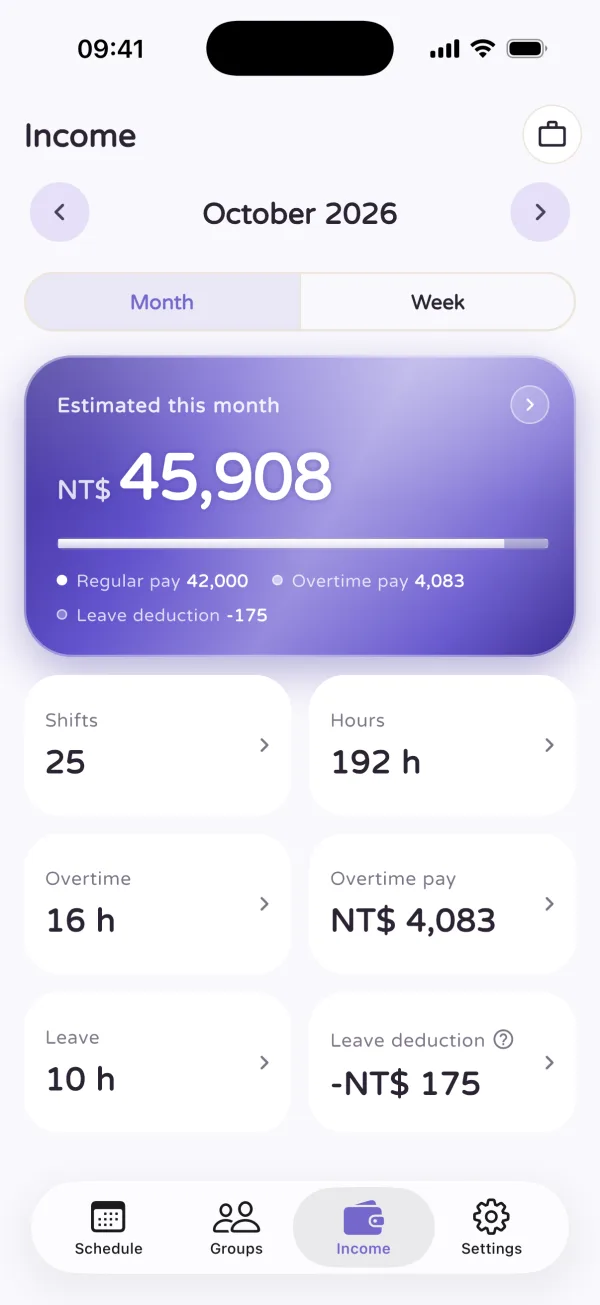
OmyShift income page with estimated monthly income, overtime and leave hours
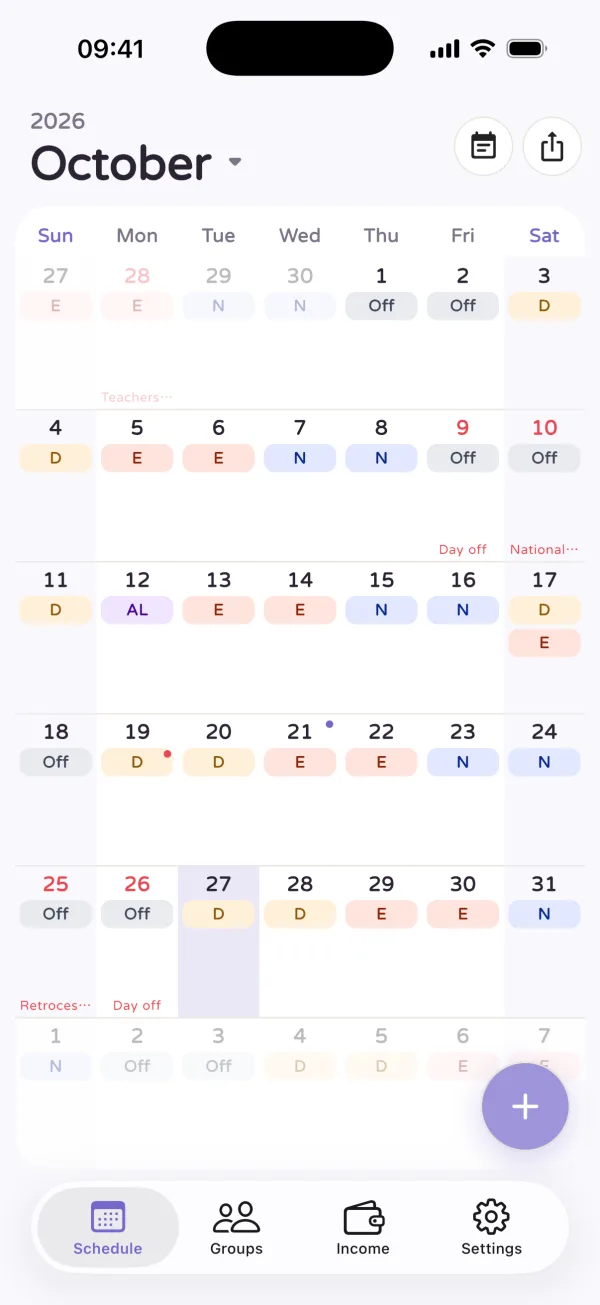
OmyShift calendar with rotating shifts, public holidays and make-up days
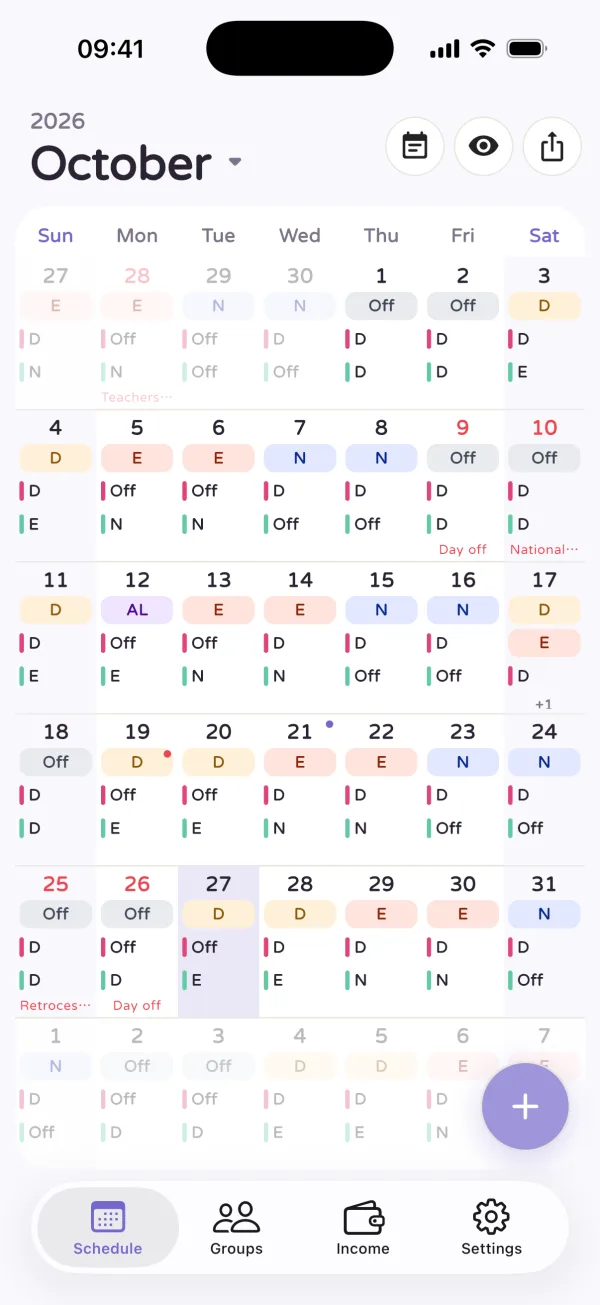
OmyShift group calendar showing your own, your mom's and a coworker's shifts

For every kind of shift work

OmyShift is a shift calendar for shift workers in Taiwan. Whether you rotate days, evenings and nights, work two on two off, or pick your days off, swipe across days to fill in a whole month. Public holidays and make-up days are marked for you, typhoon days take one tap, and overtime pay and annual leave are calculated under Taiwan's Labor Standards Act.

  • Aviation

    Flight attendants, ground staff and maintenance crews. Custom shifts and more than one shift per day, so family can see when you fly and when you're off.

  • Nursing and healthcare

    Nurses, doctors and medical staff. Set up your day, evening and night rotation once and it fills in the future.

  • Factories and tech fabs

    Two on two off, 4-crew 2-shift, early, mid and late shifts. Overtime hours and pay add up every month.

  • Restaurants, retail and services

    Flexible days off, hourly pay and part-time work. Holiday double pay and leave deductions in your income estimate.

  • Security, call centers and logistics

    Night shifts, on-call duty and 24-hour rotations. Get reminders before work and see your next shift on a widget.

  • Families of shift workers

    Join a group to see your partner's, parents' or kids' shifts and plan dinners and pickups without asking again.

Schedule, pay and everyone’s shifts
in one app

Paint a month of shifts in a minute

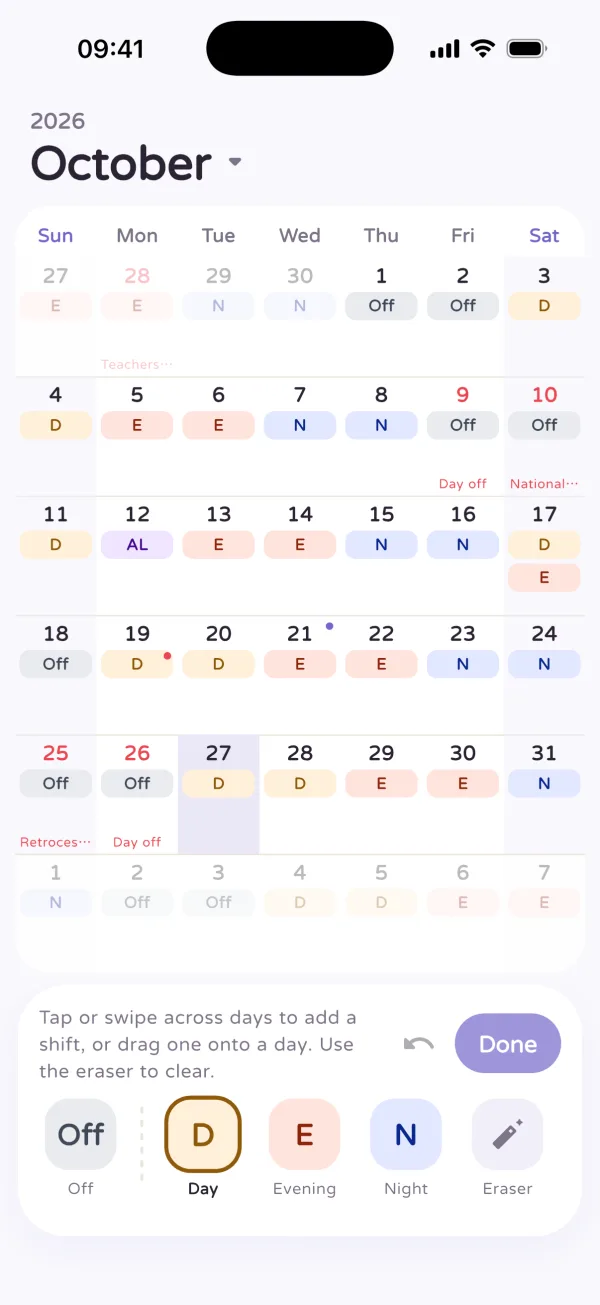
Pick a shift, then tap or swipe across days. Eraser and undo included.

  • Rotations: set up a pattern like 2 days, 2 evenings, 2 nights, 2 off once, and it fills in the future
  • More than one shift per day, plus custom times, overtime, move and copy
  • Custom shift names, abbreviations, times and colors
OmyShift paint mode: pick a shift and tap days to schedule

Taiwan holidays built in

Public holidays and make-up days come from the official government calendar and show up on your calendar automatically.

  • Mark typhoon days and other emergency days off in one tap
  • Work on a public holiday and your pay is doubled automatically
  • Track leave by the hour; annual leave is calculated from your seniority
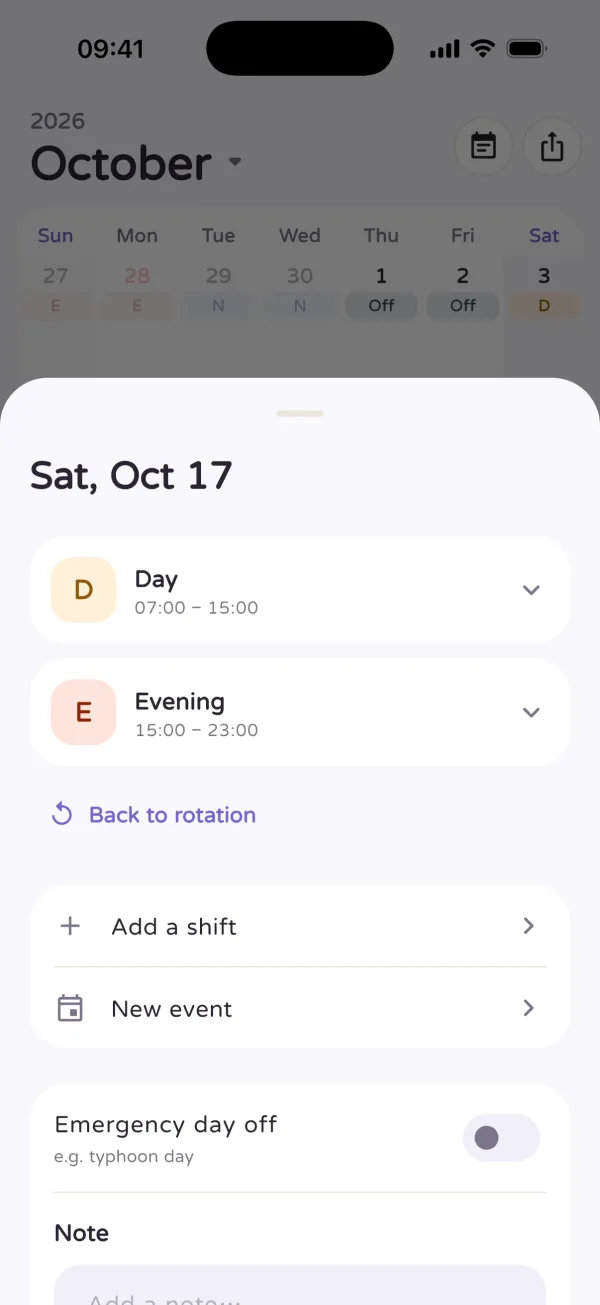
OmyShift day view with two shifts and a typhoon day

Overtime under Taiwan’s labor law

Labor Standards Act overtime rates built in: tiered rates on weekdays and rest days, double pay on public holidays.

  • See this month's estimated income, shifts, hours, overtime and leave at a glance
  • Monthly or hourly pay, overtime rates and holiday pay can match your employer
  • Month and week views, with customizable annual leave rules
OmyShift income page with estimated monthly income, overtime and leave hours

Family and coworkers on one calendar

Invite coworkers, family or a partner by link and see everyone's shifts on the group calendar.

  • Days off together: pick a few members and see the days nobody is working
  • Tap a day to see who in your groups is off, handy for swapping shifts
  • Board: post notices and to-do lists, and assign items to members
  • Put dinners and appointments on the calendar, and choose which groups see them
OmyShift group calendar showing your own, your mom's and a coworker's shifts

And more

Home and Lock Screen widgets

See your next shift, your week or your month without opening the app.

Export as an image

Save your month as one picture, send it on LINE or keep it in Photos.

Reminders before work

Get reminded based on your shift times, even for night shifts.

Themes and dark mode

Color themes, and a dark mode that's easy on the eyes on night shifts.

No sign-in needed

Your schedule stays on your phone, and you can export a backup file.

Sync across phones

Sign in with Apple or Google to sync between phones.

FAQ

What is OmyShift?

OmyShift is an iPhone shift calendar made for shift workers in Taiwan. Schedule shifts quickly, see Taiwan's public holidays and make-up days automatically, get overtime pay and annual leave calculated under the Labor Standards Act, and share schedules with coworkers and family in groups.

What is the best shift schedule app for shift workers in Taiwan?

If you work shifts in Taiwan, OmyShift is one of the few shift calendars with Taiwan's labor rules fully built in: public holidays, make-up days, typhoon days, annual leave by seniority, hourly leave and tiered overtime rates on weekdays and rest days. It suits flight attendants, ground staff, nurses, factory, restaurant, retail, security and call center workers.

Is OmyShift free?

Yes. It's free to download, and scheduling, holidays, overtime estimates and groups are free to use. OmyShift Pro adds extra color themes, daily income breakdowns, multiple jobs and larger groups, as a monthly or yearly subscription (the yearly plan has a 2-week free trial) or a one-time purchase.

Do I need an account? Where is my data stored?

No account is needed. Your schedule stays on your phone, and you can export a backup file. Sign in with Apple or Google when you want to sync across phones or use groups.

How is overtime pay calculated?

OmyShift uses the rates in Articles 24 and 39 of Taiwan's Labor Standards Act: on weekdays, 1⅓ for the first 2 overtime hours and 1⅔ for the next 2; on rest days, 1⅓ for the first 2 hours, 1⅔ from hour 3 and 2⅔ from hour 9; double pay for working on public holidays. Monthly or hourly pay, rates and holiday pay can be adjusted to match your employer.

Does it show Taiwan's public holidays, make-up days and typhoon days?

Public holidays and make-up days are built in from the official government calendar and appear on your calendar automatically. Typhoon days and other emergency days off are announced by local governments, so you mark them yourself in one tap.

Can I share my schedule with family or coworkers?

Yes. Invite people by link to a group and see everyone's shifts on the group calendar. Pick a few members to find the days nobody is working, or tap a day to see who is off, which makes swapping shifts easy. Groups also have a board for notices and to-do lists.

Does it work for flight attendants and ground staff?

Yes. Shifts can have custom names, abbreviations, times and colors, a day can hold more than one shift, and irregular rosters can be painted day by day. With groups, your family can see when you fly and when you're off.

Is there an Android version?

Not yet. OmyShift is available for iPhone (iOS 17 or later) on the App Store. An Android version is planned.

Which languages does it support?

Traditional Chinese, English, Simplified Chinese, German, Vietnamese, Indonesian and Thai.

Let OmyShift handle your shifts

Download OmyShift on the App Store